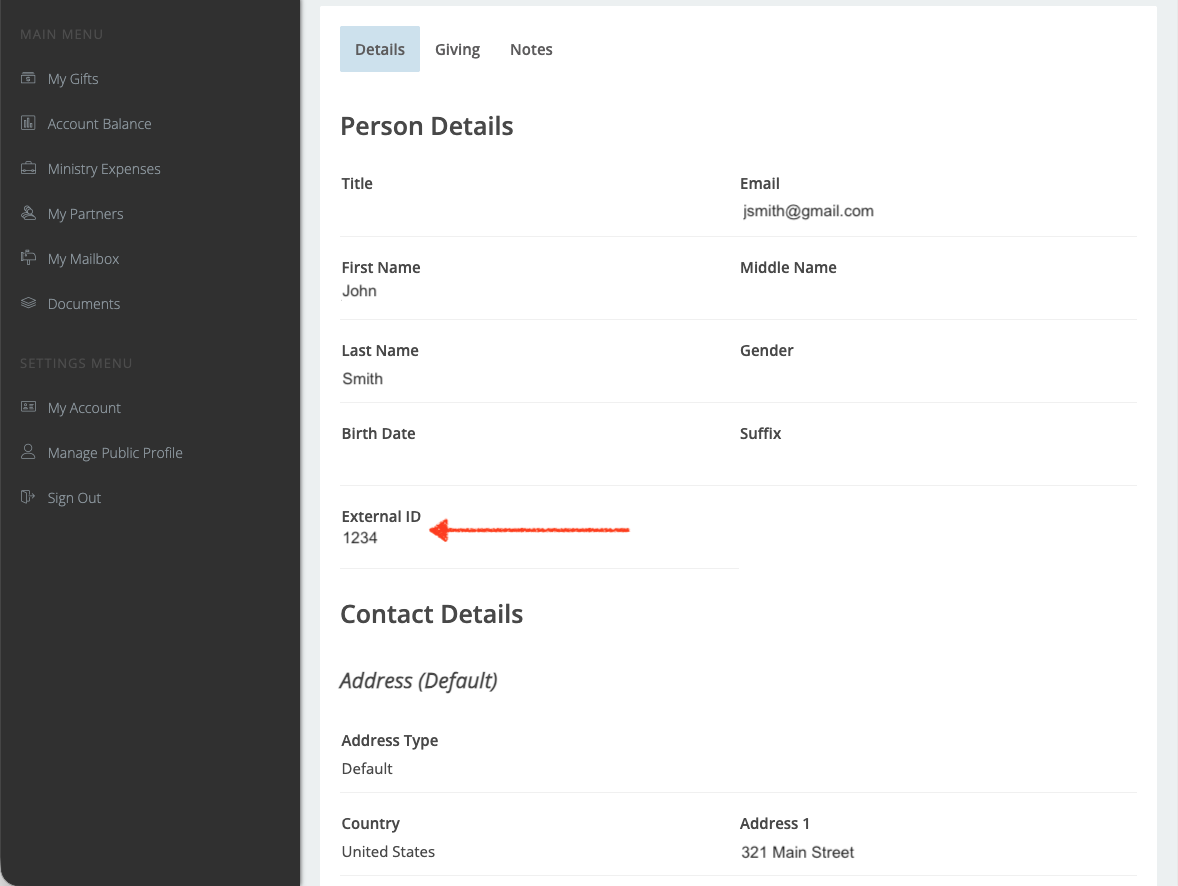
The External ID is a unique number associated with each donor/contact that gets imported into Mission Quest Donor Management System database (DMS). This number is assigned to each donor by the home office, not the missionary or donor.
Do all contacts in MQ’s database have External ID?
No. Our database assigns External ID to all donors/contacts that we import into the system. The rest of the contacts are recorded automatically during the donation process and the information is controlled mainly by the donor.
To find your contact’s External ID, please follow the steps below:
1) Log in to your missionary dashboard at https://dashboard.missionquest.org/
2) On the left side of the screen, click on “Partners”
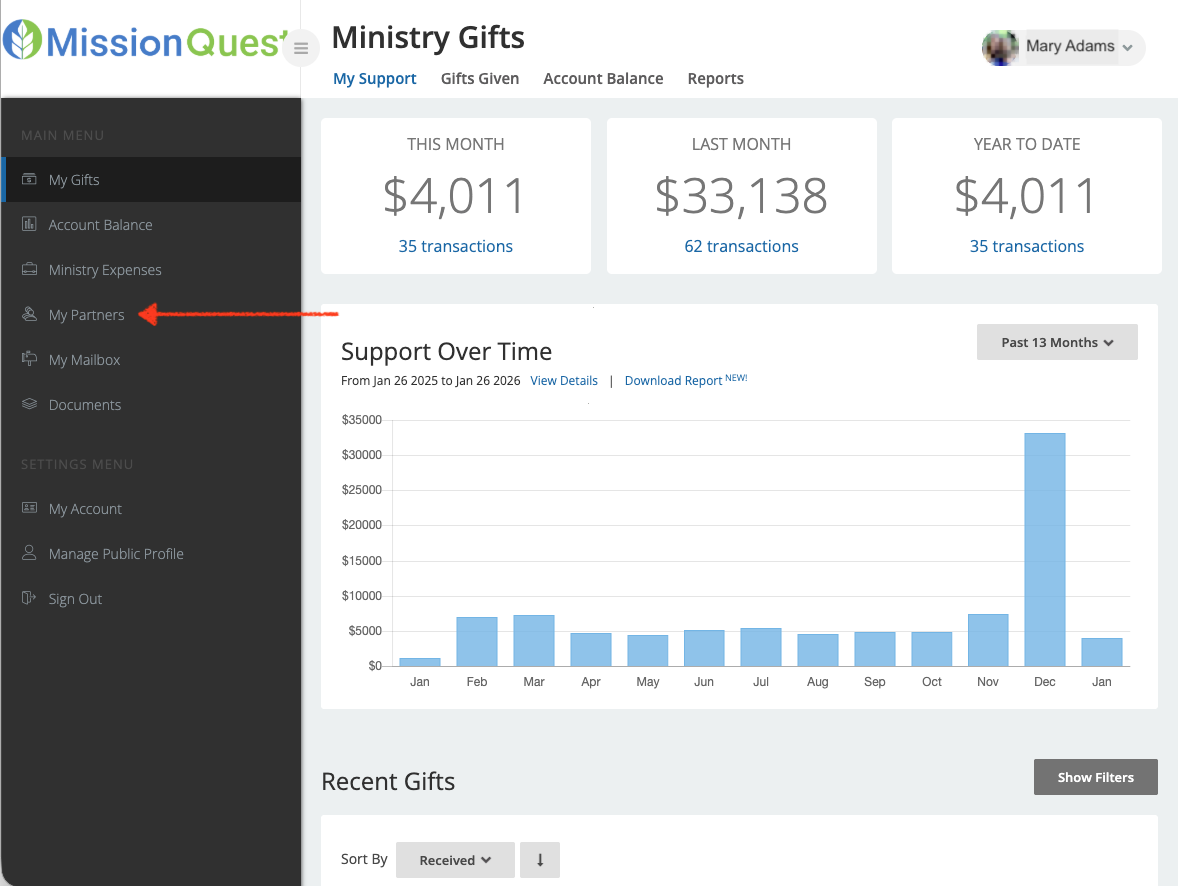
3) Click on the name you want to find its External ID.
4) Scroll down and copy the External ID into your spreadsheet.
Please note two things:
- All contacts must be in the system prior to using this method.
- If you can’t find the External ID of a contact, please email us at mq@missionquest.org.
Was this article helpful?
That’s Great!
Thank you for your feedback
Sorry! We couldn't be helpful
Thank you for your feedback
Feedback sent
We appreciate your effort and will try to fix the article