To delete a payment method, please follow these instructions:
1) Go to MissionQuest.org/give and click "Log in" in the top right corner.
2) Enter your credentials. If you forgot your password, click "Forgot Password".
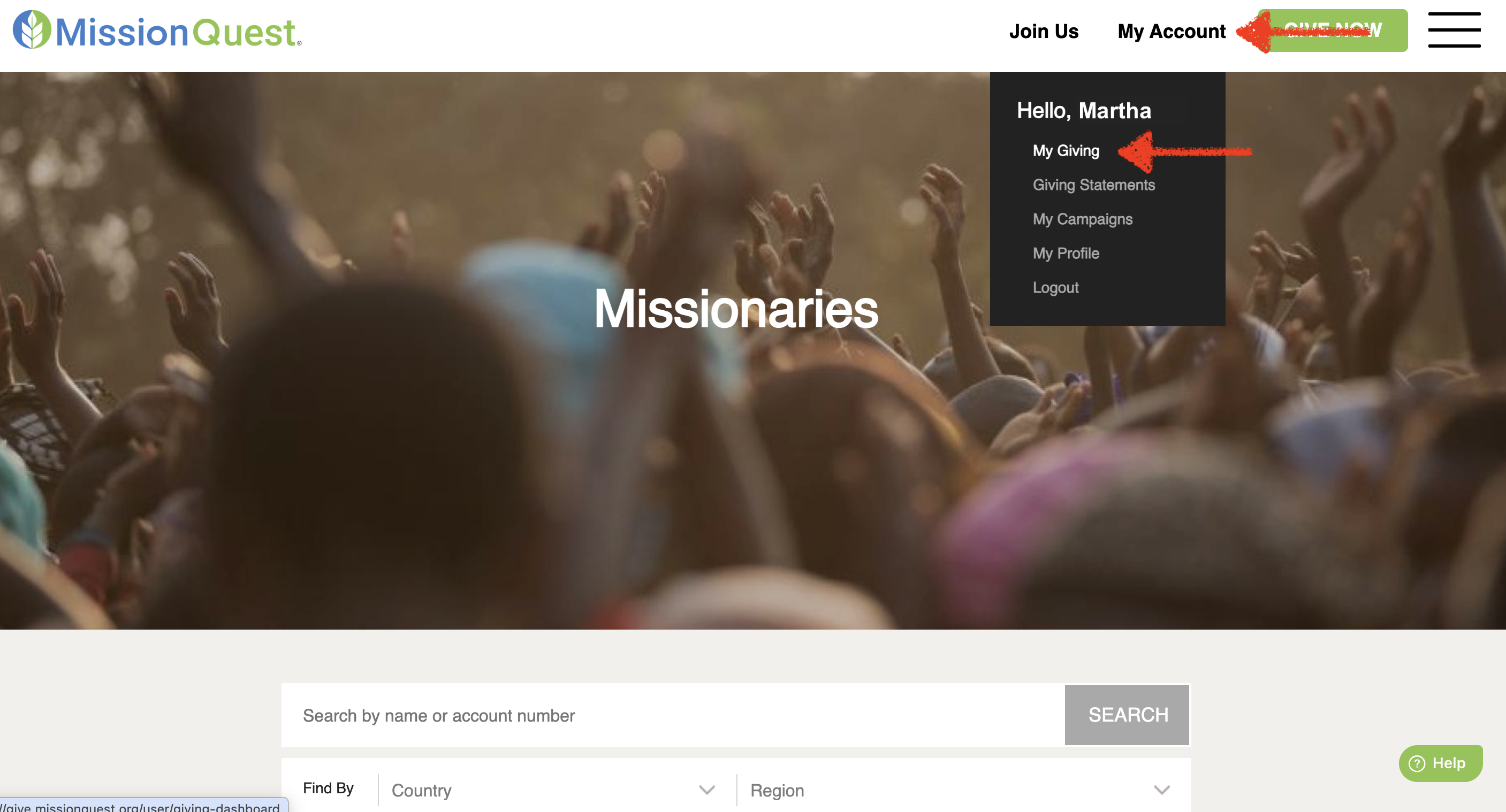
3) Go to "My Account" and then to "My Giving".
4) Scroll down to the "Payment Methods" section, locate the payment method you want to remove, and click "Delete".
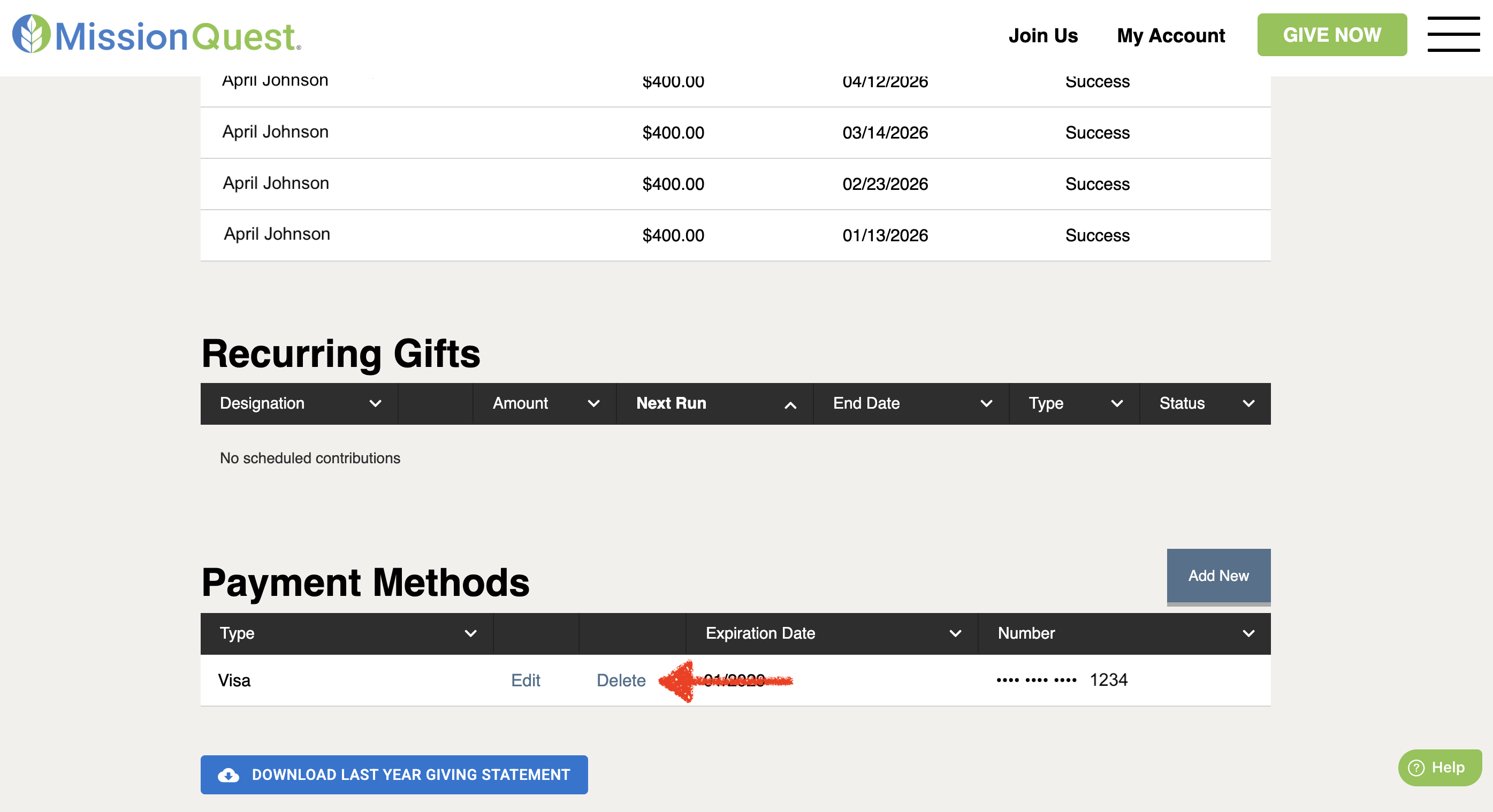
5) You may now add a new payment method by clicking "Add New" and entering your payment information.
Was this article helpful?
That’s Great!
Thank you for your feedback
Sorry! We couldn't be helpful
Thank you for your feedback
Feedback sent
We appreciate your effort and will try to fix the article